Everything you need for Nova Poshta, inside Shopify
01
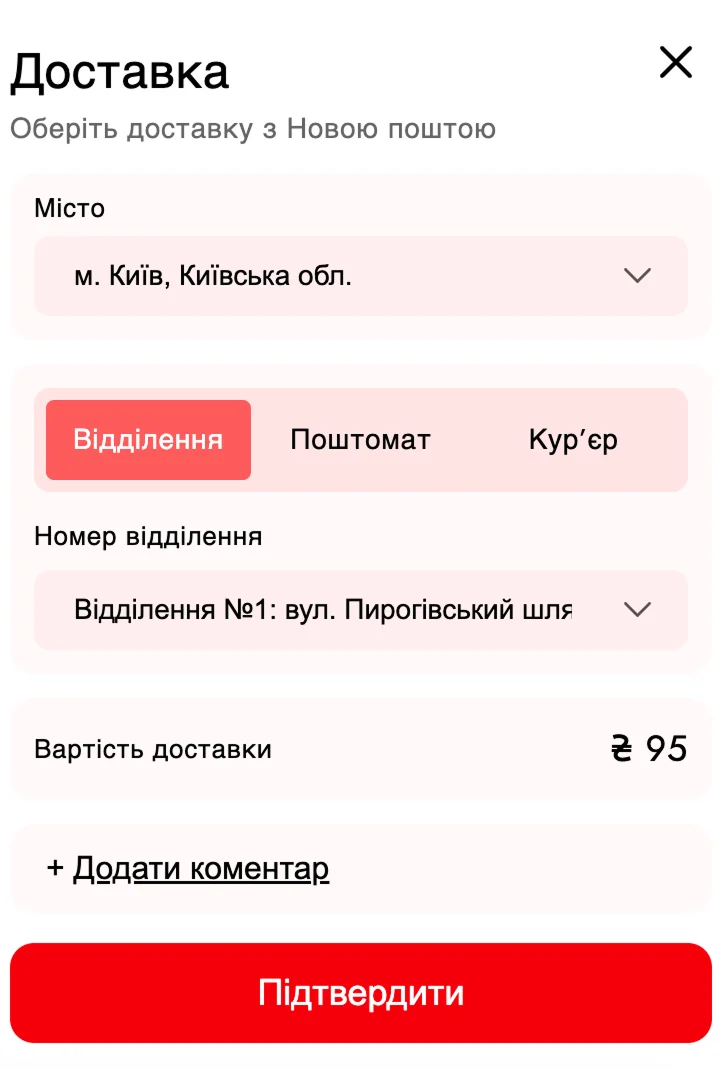
Delivery choice right in the cart
The buyer picks a city, branch, parcel locker or courier delivery right in the cart, before checkout starts. Autocomplete finds the city and street as they type.
Delivery details are saved to the Shopify order automatically. Set the widget size and position in the Theme Editor. Business and Enterprise plans add extra styling and button colour options.
02
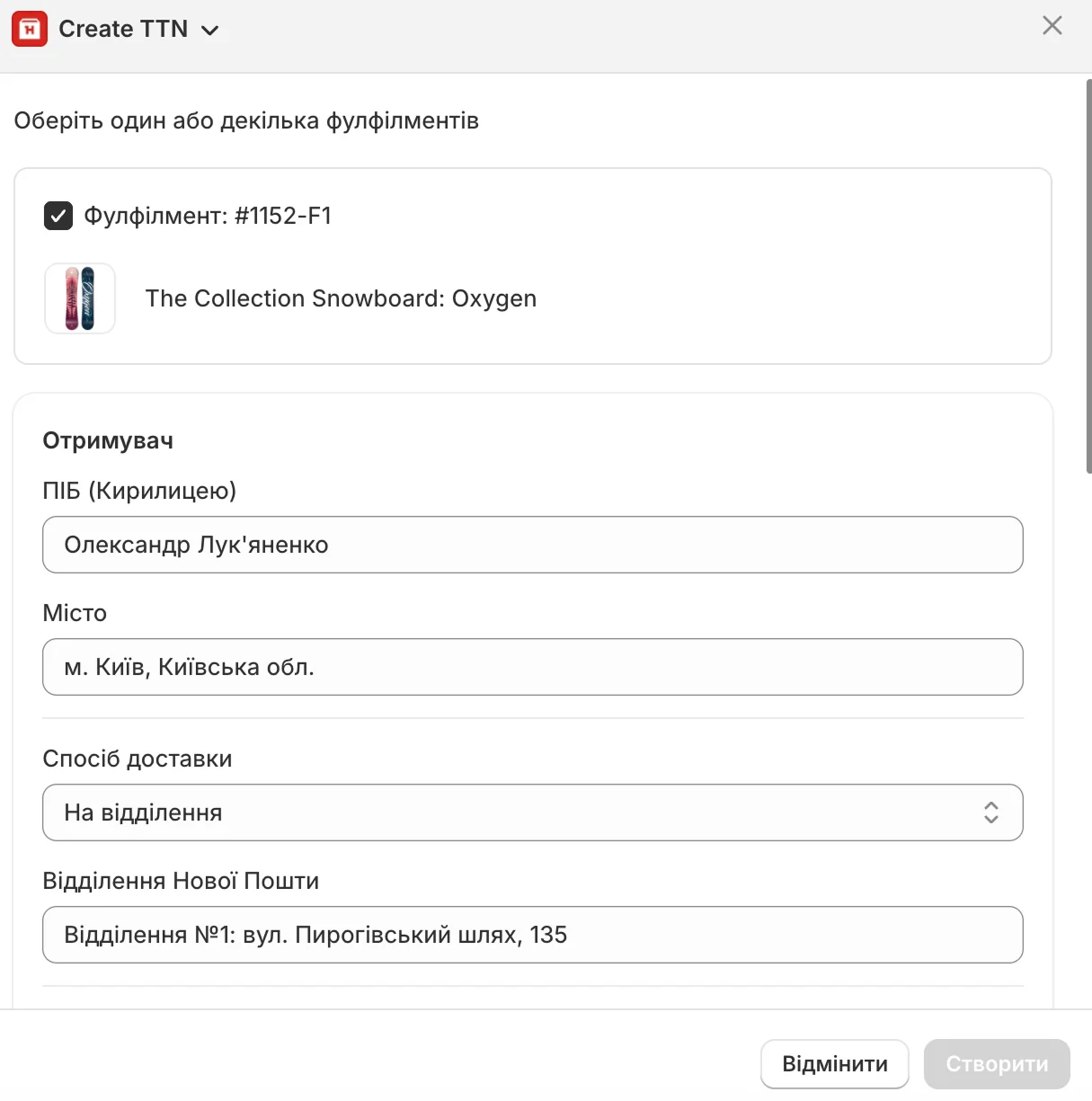
Waybill from the order page
Create waybills (TTN) straight from Shopify Admin.
Recipient, city and delivery method come from the order, so nothing is retyped. Set your standard boxes, sender addresses and shipment description in advance, so you do not fill them in for every waybill.
03
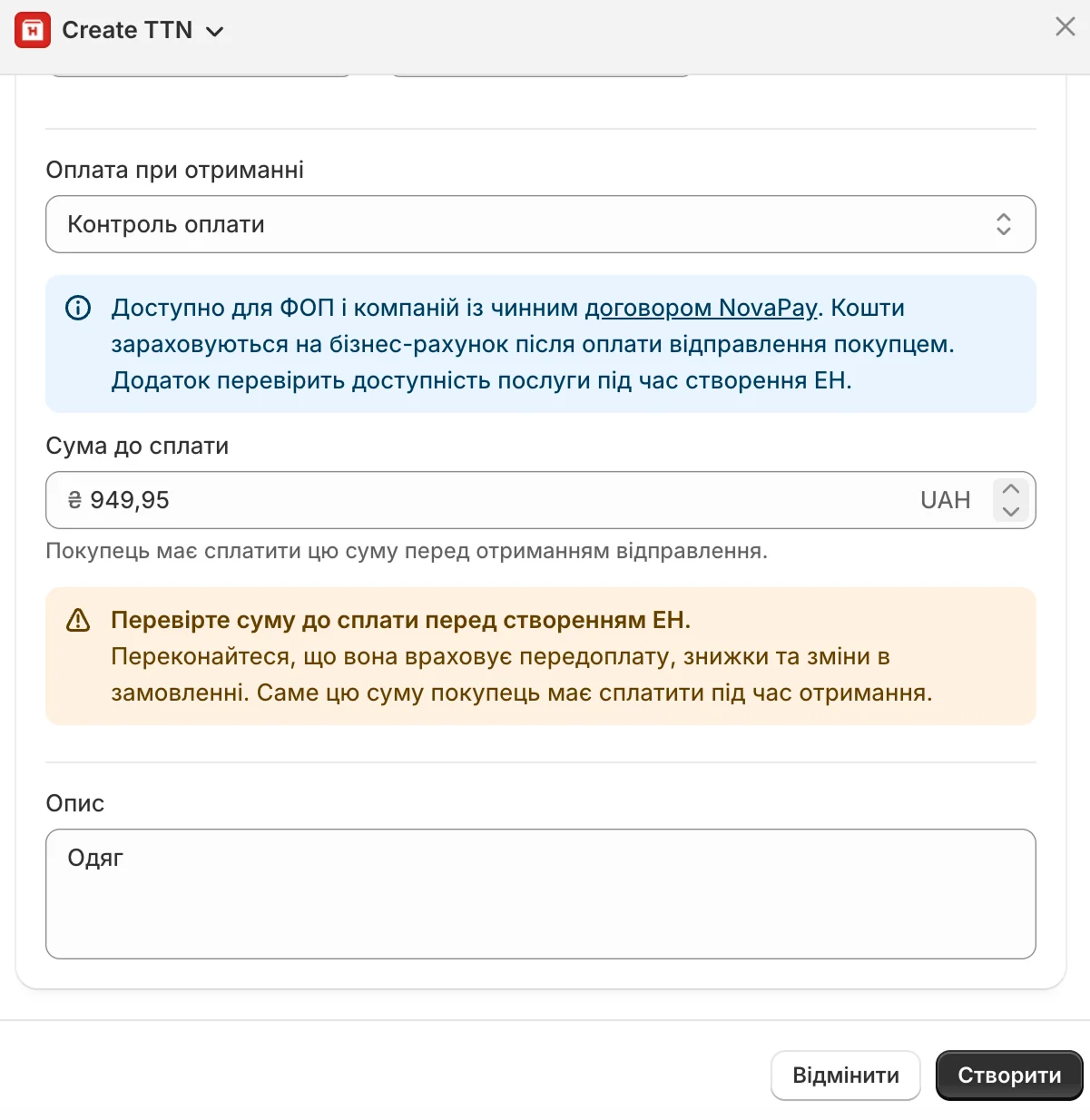
Payment control for cash on delivery
Receive cash-on-delivery payments to your account through NovaPay Payment Control.
Available to sole proprietors and companies with an active NovaPay contract.
04
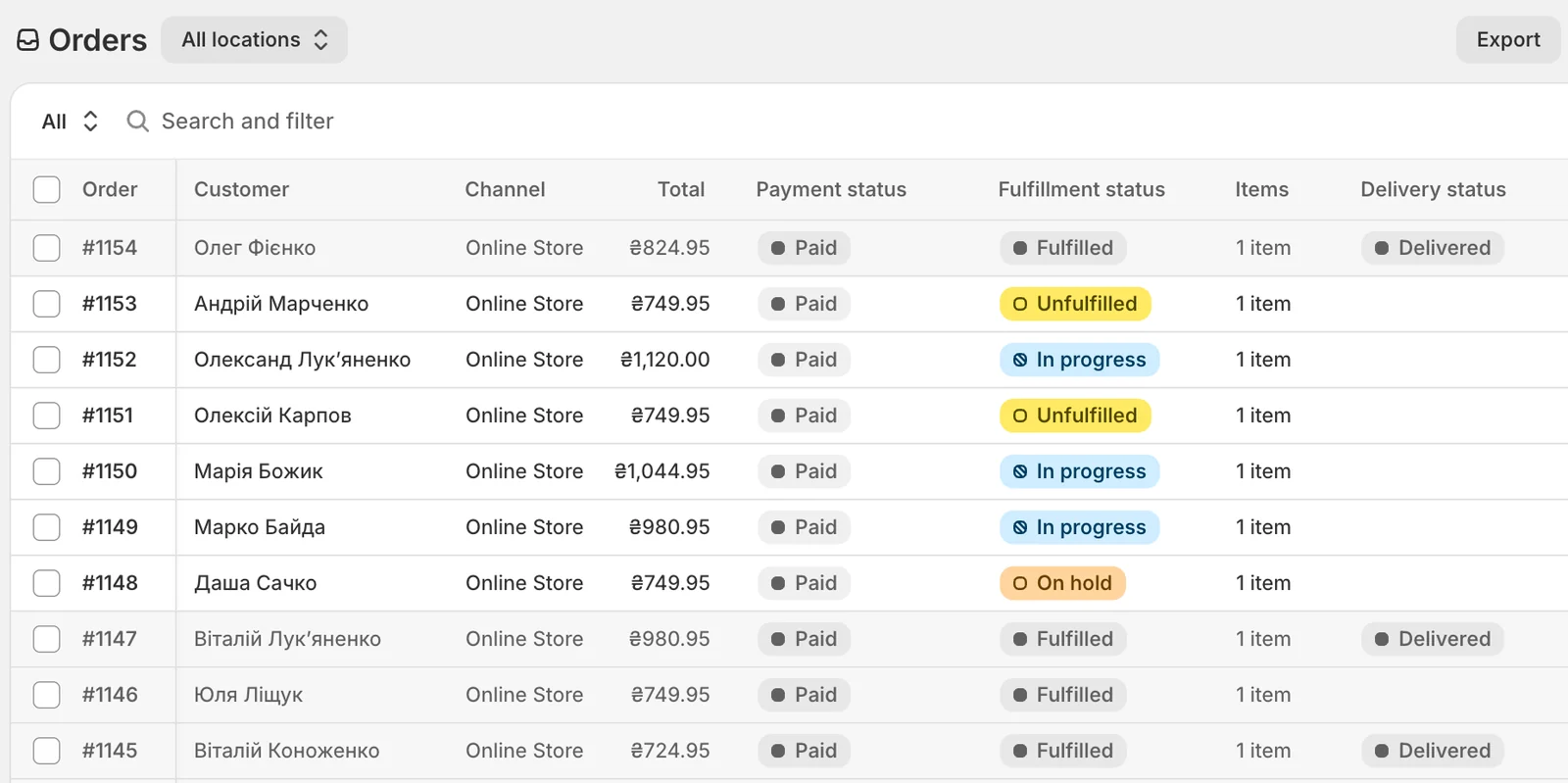
Automatic delivery statuses
Shipment status updates in Shopify automatically.
You see current delivery information, from shipment creation to handover.
05
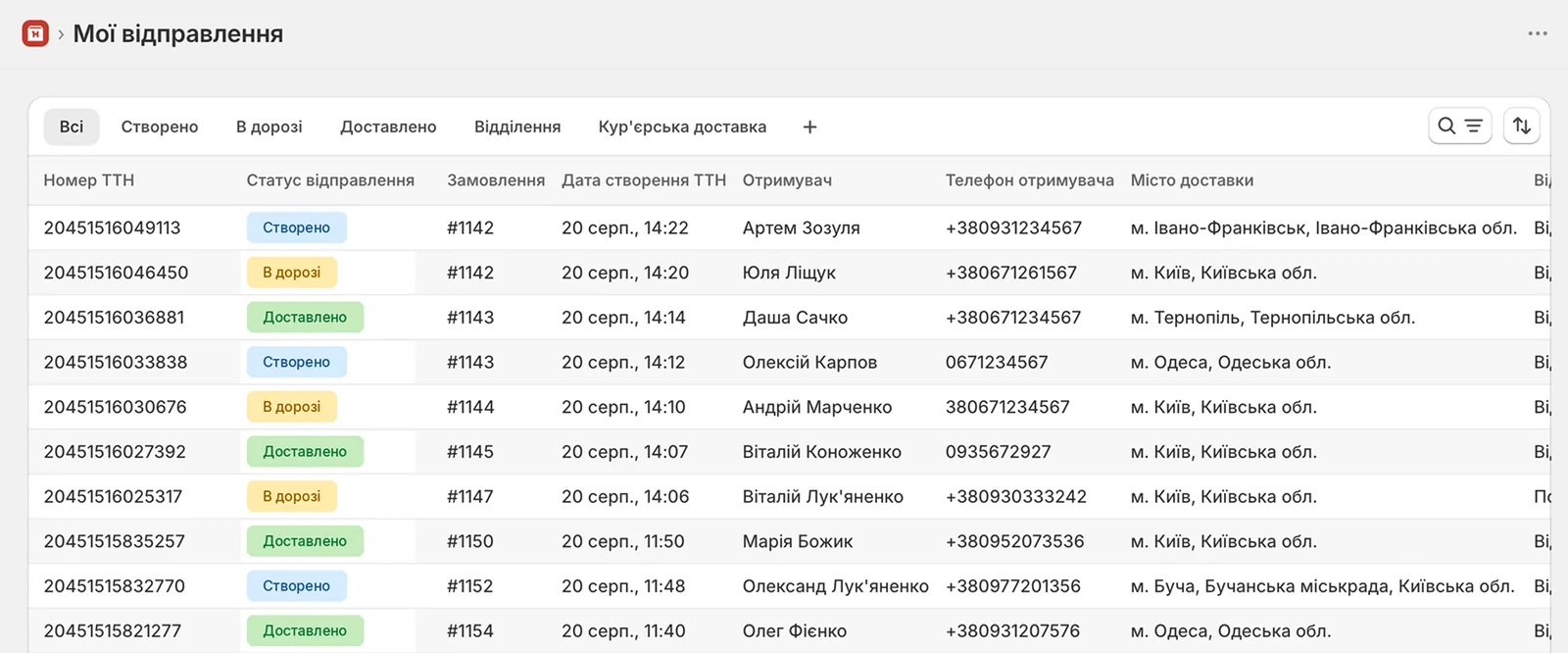
All shipments in one list
See every store shipment on a separate page in Shopify.
The list covers the last 60 days, so you never search for a waybill order by order.
06
Print the shipping label
Print the shipping label from Shopify right after the waybill is created, without opening your Nova Poshta account. Available on Business and Enterprise plans.
07
Waybills for several orders in a row
When orders pile up, select the ones you need and create waybills one after another without leaving the shipment window.
How it works
03 / Setup
01Install Nova Poshta Connect in Shopify
02Complete a quick onboarding
03Create a waybill from the order page without leaving Shopify
A Shopify store and a Nova Poshta account with an API key.
Is there a free trial?
Yes. You can test Nova Poshta Connect free for 14 days on any plan.
Which delivery options does the buyer see?
Nova Poshta delivery to a branch, a parcel locker, or by courier. If your store offers pickup, the widget shows that option too, and the buyer picks the pickup point at checkout.
Why doesn’t the widget show in the cart?
Turn the widget on in your theme settings in the Theme Editor. It doesn’t appear automatically.
Can I create waybills for several orders?
Yes. Select the orders you need and create waybills one after another without returning to the order list.
Where can I see all store shipments?
On the separate My shipments page in Nova Poshta Connect. It lists the store’s shipments from the last 60 days.
Can I print labels?
Yes, on Business and Enterprise plans. Print the shipping label right from the order page once the waybill is created.
Is cash on delivery supported?
Yes. Orders with cash on delivery can use NovaPay Payment Control. It requires an active NovaPay contract.
Does the app work for delivery outside Ukraine?
Nova Poshta Connect is built for Nova Poshta delivery within Ukraine.
Connect Nova Poshta to Shopify
Manage delivery, waybills and shipments right inside Shopify. Start with a 14-day free trial.